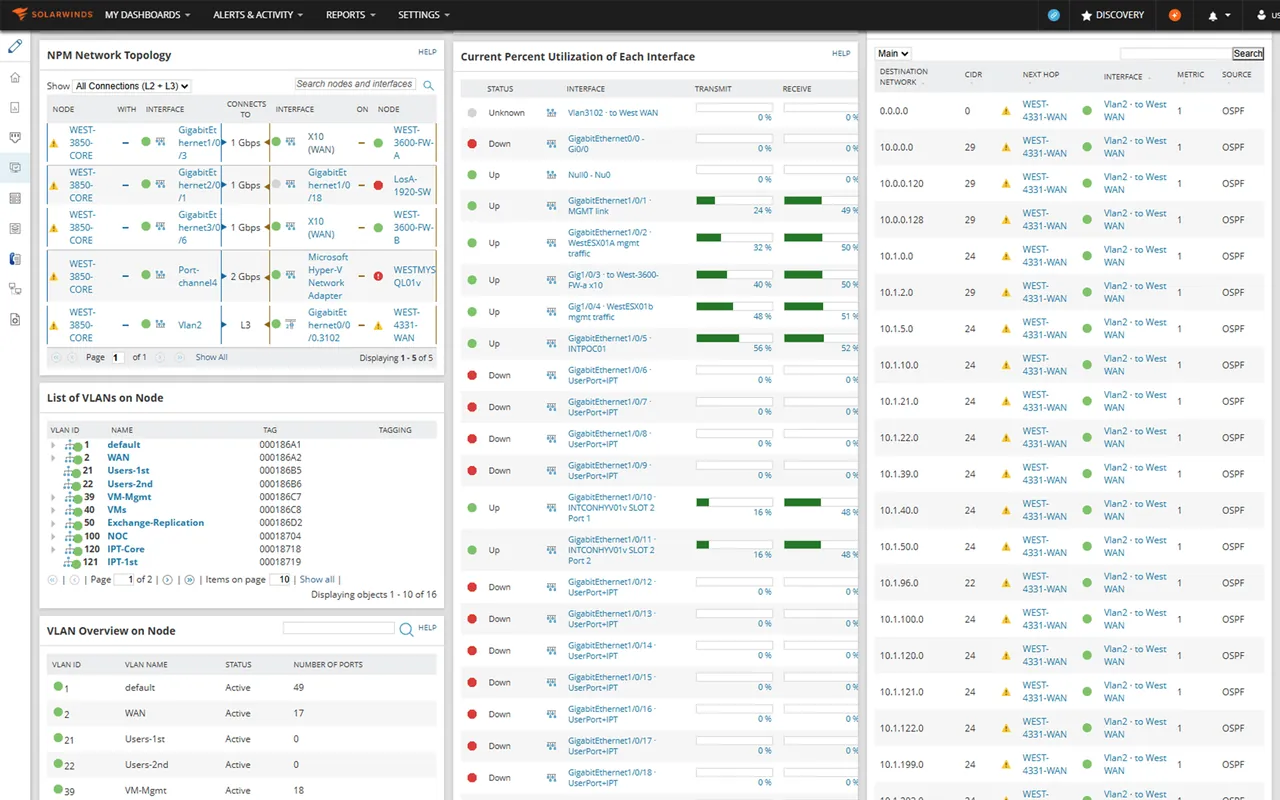
A typical inherited SolarWinds deployment might have four additional polling engines, a SQL Server cluster sized like a line-of-business system, and a runbook section titled “Before touching the upgrade button.” It would also have some of the best network troubleshooting views in the category: hop-by-hop paths to SaaS providers, interface utilization correlated with CPU and latency on a single timeline, and topology maps that update themselves. That combination of strong results and heavy lifting is the story of Network Performance Monitor.
What SolarWinds NPM does
Network Performance Monitor (NPM) is SolarWinds’ flagship network monitoring product, built on the SolarWinds Platform (formerly called Orion). It polls routers, switches, firewalls, wireless controllers and load balancers via SNMP, ICMP and vendor APIs, and records availability, interface traffic and errors, CPU, memory and hardware health.
Several features set it apart:
- NetPath traces hop-by-hop paths to internal or external services and shows where latency or loss appears along the route.
- PerfStack lets you drag metrics from different devices and products onto a shared timeline for correlation.
- Network Insight adds deeper views for specific platforms, such as Cisco ASA or Palo Alto firewalls.
- Network Atlas and intelligent maps build topology from discovered neighbor data.
Other modules on the same platform cover NetFlow traffic analysis, configuration management, server and application monitoring, and virtualization. At scale, you add Additional Polling Engines to share the load.
Where it earns its keep
- Troubleshooting depth. NetPath and PerfStack answer “where is it slow?” faster than almost anything else in this category.
- Large-scale network support. Distributed polling engines and high-availability options suit enterprise networks with thousands of devices.
- Mature ecosystem. Wide vendor device support, a large community (THWACK) with shared templates and reports, and many consultants familiar with the platform.
- Integrated modules. When you own several products, alerts, maps and dashboards share a single platform and data model.
Where it falls short, and who should skip it
Infrastructure requirements. The main polling engine runs on Windows Server and relies on Microsoft SQL Server for its database. Large deployments need a well-resourced SQL instance, and database maintenance (index rebuilds, retention settings, backup windows) is a real operational task. Poorly sized SQL is the most common cause of a slow SolarWinds web console.
Poller sizing. Each polling engine has a practical capacity for elements. Grow past that and you add engines, each with its own Windows server and license. Default polling intervals are sensible for availability, but statistics collection on thousands of interfaces adds up quickly; a common tactic is to lengthen intervals for access-layer ports and keep short ones for uplinks and WAN links. Alert noise follows the same pattern: the stock alert definitions are broad, so plan time to scope them with custom properties and dependencies before on-call staff start ignoring them.
Upgrade planning. Upgrades across multiple modules and polling engines have to be coordinated, and version compatibility between modules matters. Budget a maintenance window and a test instance.
Complexity for small teams. For a network of a few dozen switches, the platform is more than you need, and the learning curve is steep.
Security history. The 2020 supply-chain compromise of the Orion platform (known as SUNBURST) is part of the record. SolarWinds has since overhauled its build process and published details of the changes. Many organizations continue to use the product, but it reinforces a general rule: treat any monitoring server as a highly privileged system, keep it patched, segment it, and limit its credentials.
Skip SolarWinds NPM if your team lacks Windows and SQL Server skills, if you have fewer than a hundred or so network devices, or if you need a Linux-only stack.
Who it suits
Enterprise and larger mid-market network teams with dedicated engineers, complex multi-site WANs and a need for serious troubleshooting tools. Organizations already standardized on Windows Server and SQL Server have the smoothest path.
Licensing and cost
NPM is commercial software. Historically it was sold under perpetual licenses tiered by the number of monitored elements (nodes, interfaces and volumes). SolarWinds has since shifted toward subscription licensing by node, bundling NPM and related modules into its self-hosted observability offerings. Additional polling engines and high-availability features may carry separate costs. A time-limited evaluation is available. The packaging has changed several times, so check the vendor’s current pricing and edition names before comparing quotes.
How it compares
Against PRTG, NPM offers deeper path analysis and enterprise scale, while PRTG is faster to deploy and has a hosted option. OpManager is a lighter commercial suite with per-device pricing that fits mid-sized teams. For network discovery with no license cost, LibreNMS is the closest open-source match, though it lacks path tracing. Zabbix can be built to cover much of the same ground with enough effort. The SNMP and network device monitoring category has the full table.
Getting it safely
Obtain software only through the SolarWinds customer portal or the product pages on the SolarWinds website. Verify the digital signature and published hash for every package, follow the vendor’s security advisories, and apply hotfixes promptly. Place the main polling engine on a management network and use least-privilege service accounts for device access. Our where to get monitoring software page covers verification basics.
FAQ
Does SolarWinds NPM require SQL Server?
Yes. The platform stores configuration and historic data in Microsoft SQL Server. Sizing that database correctly is key to performance.
What is an Additional Polling Engine?
A separate server that polls a share of your devices and writes to the same database, allowing the platform to scale beyond a single engine’s capacity.
Is SolarWinds NPM still safe to use after SUNBURST?
The vendor rebuilt its development pipeline and has published details about the changes. As with any privileged tool, keep it current, segment it, and limit credentials.
Can NPM monitor servers and applications?
Basic node health is included; deeper server and application monitoring comes from other modules on the same platform.