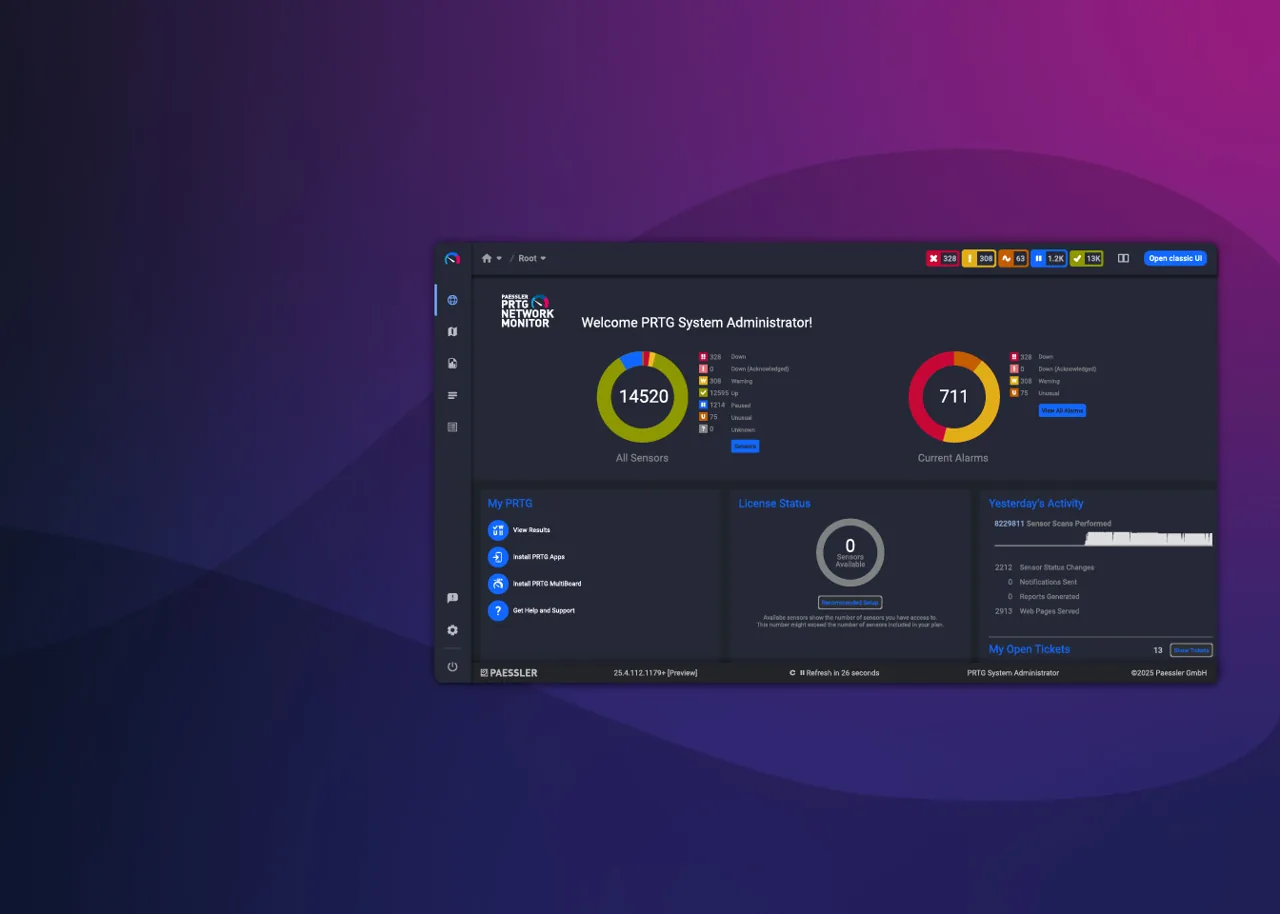
There is a specific kind of Monday where you realize the monitoring server itself is the thing everyone is waiting on. The database needs pruning, the poller is behind, the plugin you patched last quarter broke on upgrade, and the actual network problem you were asked about is still unanswered. That Monday is when teams start pricing commercial tools, and PRTG from Paessler is usually one of the first names on the list. This review looks at it from that angle: what you stop doing when you pay, and what you give up.
What PRTG does
PRTG is an all-in-one monitoring suite organized around sensors. A sensor is one measured thing: the traffic on one switch port, the remaining capacity on one volume, the response time of one HTTP URL, the status of one Windows service. Devices are grouped in a tree, and each device carries as many sensors as you need.
The architecture has two layers. The PRTG core server holds configuration, stores historic data and serves the web interface and mobile apps. Probes do the actual polling: a local probe on the core server plus remote probes placed in branch offices, DMZs or customer networks, reporting back over an encrypted connection.
Paessler offers two ways to run it:
- PRTG Network Monitor, the self-hosted edition, where the core server runs on a Windows Server machine you provide.
- PRTG Hosted Monitor, a subscription service operated by Paessler, where the core server lives in Paessler’s cloud and you place remote probes on your network to reach internal devices.
Sensor types cover SNMP (including v3 and custom OIDs), WMI and Windows performance counters, SSH scripts, flow protocols (NetFlow, sFlow, IPFIX), packet-based traffic analysis on a mirrored port, HTTP and REST APIs, databases, VMware, cloud services, and many vendor-specific devices.
Where it earns its keep
- Fast time to value. Auto-discovery with device templates adds switches, servers and printers with a sensible set of sensors. A readable map and dashboard within the first day is realistic.
- No database to babysit. Historic data storage is managed by the product. There is no housekeeper to tune and no SQL server to size for the core.
- Consistent UI. Thresholds, notifications, dependencies and maintenance windows all work the same way across every sensor type, which lowers the training burden for mixed-skill teams.
- Vendor support. When something breaks, you open a ticket with Paessler rather than searching a forum.
- Hosted option. PRTG Hosted Monitor removes patching and backups of the core server; you only maintain the probes.
Where it falls short, and who should skip it
Sensor counts grow faster than you think. Every port, every disk and every service is a sensor. A 48-port switch with uplink, CPU, memory and temperature sensors can consume over fifty on its own. Plan by sensor, not by device, and prune auto-discovered sensors you do not need.
Core server scale limits. A single self-hosted core has practical sensor limits, and very large sensor counts often mean splitting into multiple cores or looking at Paessler’s enterprise offering.
Windows-based core. The self-hosted core server requires Windows Server. Linux-only shops either accept one Windows VM or choose Hosted Monitor. Remote probes also run on Windows, though Paessler has been expanding multi-platform probe options.
Scripting is less natural than in open-source tools. Custom sensors via scripts and the REST API are supported, but config-as-code workflows are harder than with Icinga or Zabbix.
Recurring cost. Licensing is a subscription. If budget approval is harder than engineering time in your organization, an open-source tool may still fit better.
Skip PRTG if you want everything version-controlled as text, if your estate is Linux-only and a Windows core is a non-starter while hosted is ruled out by policy, or if you need tens of thousands of fine-grained metrics per core.
Who it suits
Small and mid-sized IT teams who monitor a mix of network gear, Windows servers and some applications, who want vendor support and a quick start, and who would rather spend time on the network than on the monitoring server. MSPs use remote probes to cover many customer sites from one core or hosted instance.
Licensing and cost
PRTG is commercial software sold as a subscription, licensed by the number of sensors, with tiers at increasing sensor counts and an enterprise tier for large deployments. PRTG Hosted Monitor is a separate subscription billed by sensor tier as well. Paessler offers a time-limited trial for evaluation. Tier sizes and prices change, so check the vendor’s current pricing before building a budget.
How it compares
Against LibreNMS, PRTG gives you vendor support, a hosted option and broader non-SNMP sensors, while LibreNMS has no license cost and deeper multi-vendor network discovery; details are in LibreNMS vs PRTG. Zabbix matches PRTG on breadth but needs far more tuning. Among commercial peers, OpManager is licensed per device and SolarWinds NPM targets larger network teams. See the SNMP and network device monitoring category for the full comparison.
Getting it safely
Start from Paessler’s own PRTG product pages, either for the trial of the self-hosted edition or to sign up for PRTG Hosted Monitor. Obtain software only from Paessler, confirm that files are signed by Paessler before running them, and keep the core server and probes on the same version. Our where to get monitoring software page lists the verification steps.
FAQ
What counts as a sensor in PRTG?
One monitored value or small group of values on a device, such as one interface’s traffic, one disk’s remaining capacity or one ping. Licensing is based on the total count of sensors.
What is the difference between PRTG Network Monitor and PRTG Hosted Monitor?
With PRTG Network Monitor, you run the core server on your own Windows Server. With PRTG Hosted Monitor, Paessler runs the core in its cloud and you run only the remote probes that reach your devices.
Does PRTG support SNMPv3?
Yes, SNMPv3 with authentication and encryption is supported across SNMP sensor types. Our SNMPv3 setup guide covers the device side.
Can PRTG monitor Linux servers?
Yes, via SNMP, SSH-based sensors and scripts, and HTTP checks. Coverage is solid, though Windows hosts get the deepest out-of-the-box detail through WMI.